A voice workspace for people who run AI coding agents - local speech recognition, a rule-based command engine, and a terminal Brigadier owns so it can open, name, and prompt Claude Code agents by voice.
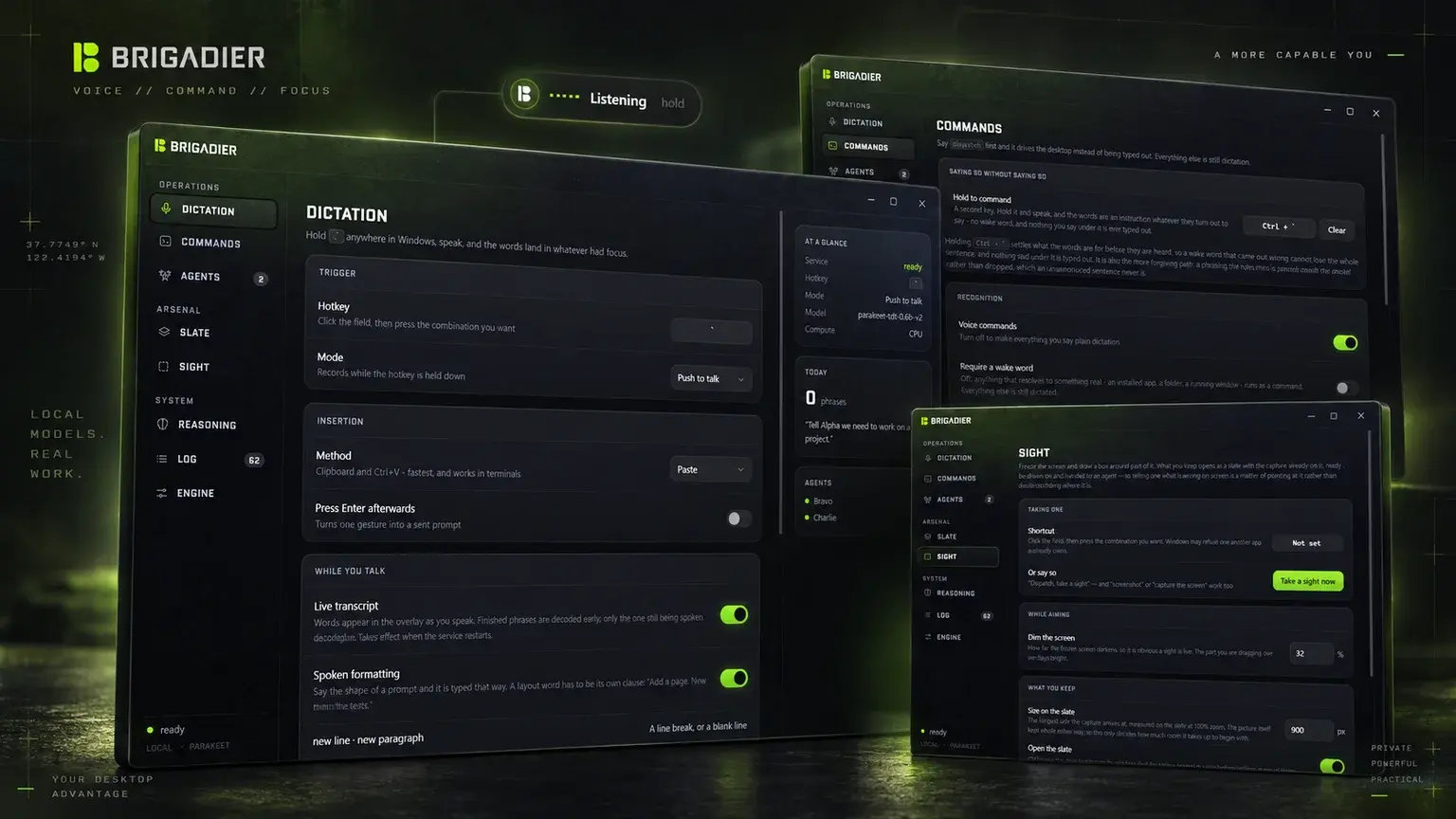
A voice workspace for people who run AI coding agents. Hold a key anywhere in Windows, talk, and the words land in whatever had focus. Say "Dispatch" first and the same gesture drives the desktop instead: it opens named Claude Code terminals, hands them prompts and drawings by name, and lets an agent that is stuck put a question in front of you and wait for a spoken answer. Speech recognition runs entirely on the machine; nothing is sent anywhere.
Brigadier is a Windows desktop app I designed and built to replace typing as the way I talk to coding agents. It is a Tauri shell written in Rust and React around a Python speech service that keeps NVIDIA's Parakeet model resident in memory, so a spoken sentence comes back as text about a tenth of a second after I stop talking.
Dictation is the floor, not the product. The parts that matter are the ones above it: a rule-based command engine that turns "can you open four claudes in the terminal" into four named agents, a terminal Brigadier owns so it can type into a specific agent by name, a drawing surface and a screen-capture tool for showing an agent what I mean rather than describing it, and an MCP server that lets an agent ask me something and get the answer out loud.
It is the most systems-heavy thing I have shipped: two processes in three languages, a global keyboard hook, a pseudo-terminal implementation, a speech pipeline with its own measurement harness, and a ~32 MB installer that needs nothing else on the target machine. It was built in one week, in 110 commits, and every one of those commits was written by talking to the agents Brigadier was built to drive.
When you run several coding agents at once, typing is the bottleneck. A good prompt is a paragraph. Three agents means three paragraphs, plus the housekeeping between them: which terminal is which, which one has stopped and is waiting, where the folder is that the next one should start in. Every dictation tool I tried solved the first sentence and none of the rest.
They also all fail on the same words. General speech models have never seen developer vocabulary written down. "Claude", the word this app hears most, comes back as clawed, clot, clod, claw, clogged. Vercel is Versal. Kubernetes is Cuba or Nets. A tool that mishears the proper nouns you say most is worse than useless for this job, because it is confidently wrong in a way you have to catch every time.
So the product had four commitments from the start:
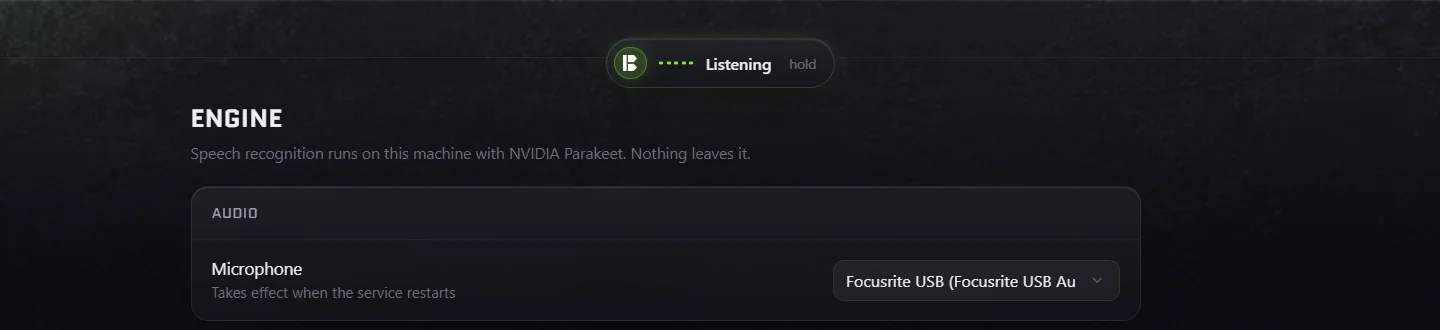
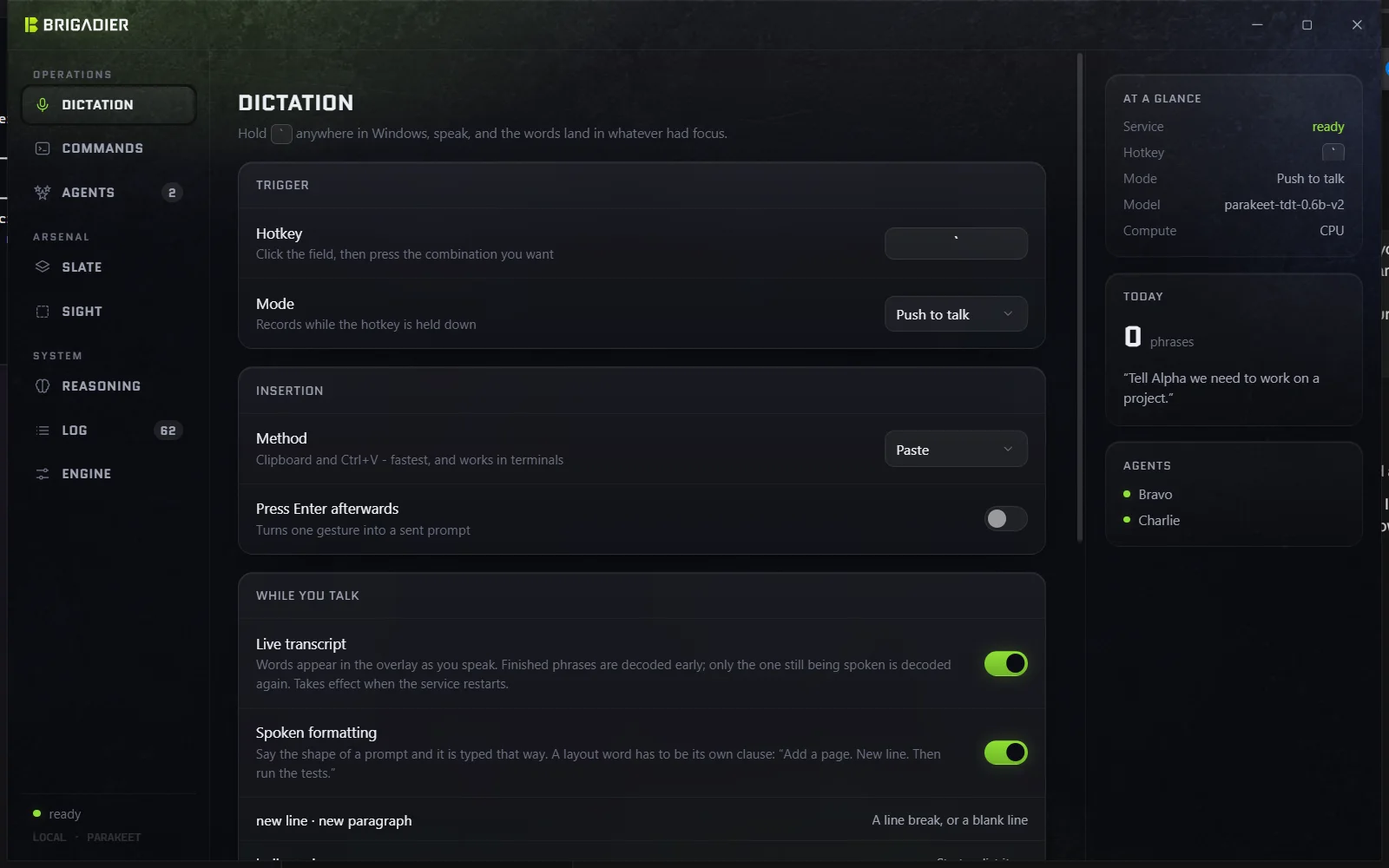
portable-pty, with Microsoft's current console host (conpty.dll + OpenConsole.exe) vendored in, because Windows 10's inbox ConPTY garbles xterm.js after a resize.SendInput for paste and keystrokes, RegisterHotKey plus key-state polling for push-to-talk, WS_EX_NOACTIVATE so the overlay never steals focus, DPAPI for the one secret the app can hold.ask_user tool; optional Anthropic/OpenAI fallback for phrasings the rules cannot place.cargo test (88 tests: grammar corpus, formatting, context), Vitest (84 tests: slate and sight geometry), Python suites for the vocabulary layer, config parity, the token handshake and the live transcript; a spoken-corpus harness that synthesises test phrases with Windows TTS voices and runs them through the real engine.The default hotkey is the bare backtick key. Hold it, speak, release. A pill fades in at the top of the screen while it listens, the words appear in it as they are recognised, and on release the text is pasted into whatever had focus - a terminal, Cursor, a browser prompt box. Paste rather than synthesised keystrokes, because paste is instant and works in terminals and Electron apps; keystrokes are there as a fallback for the rare field that rejects it.
The overlay is a separate window carrying WS_EX_NOACTIVATE, so showing it never takes focus from the window you were typing in. Without that, the injected text would land in Brigadier's own window. Closing or minimising the settings window leaves everything running in the tray; the hotkey lives in the Rust shell, not the UI.
Every 600 ms the audio so far is split into phrases at the pauses. A phrase that ended half a second ago is decoded once and kept; only the phrase still being spoken is decoded again. So the preview costs one short decode per tick however long you have been talking, and a long utterance is finished from the phrases already decoded plus the tail rather than being decoded again from the start.
A prompt has paragraphs, lists, code blocks and identifiers, and a transcriber gives back one run of sentences. So the shape can be said: "new line", "new paragraph", "bullet point", "code block … end code block", "camel case user id" becomes userId (also pascal, snake and kebab), "all caps todo". A layout word has to be its own clause - "Add a page. New line. Then run the tests." - so "start a new line of products" is left alone, and a case word is ignored when it is being talked about rather than used.
"Dispatch, that was Axidus" after a mishearing finds the word in the last utterance that most resembles the one you meant, replaces it, adds it to the vocabulary so its other mishearings are caught too, and tells the speech service that this particular mishearing means this word. The Log shows what was heard beneath what was understood, so you can see the layer working.
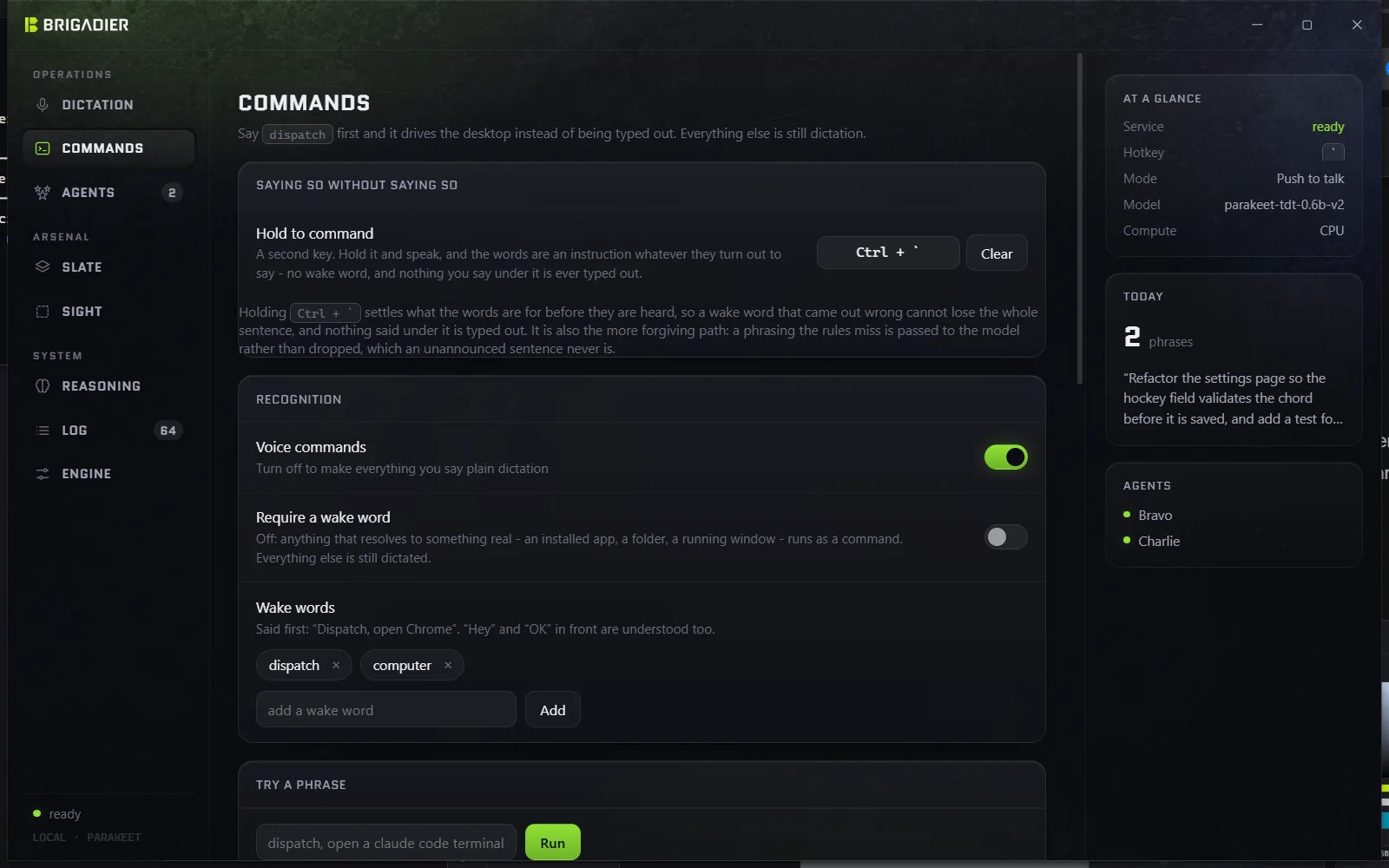
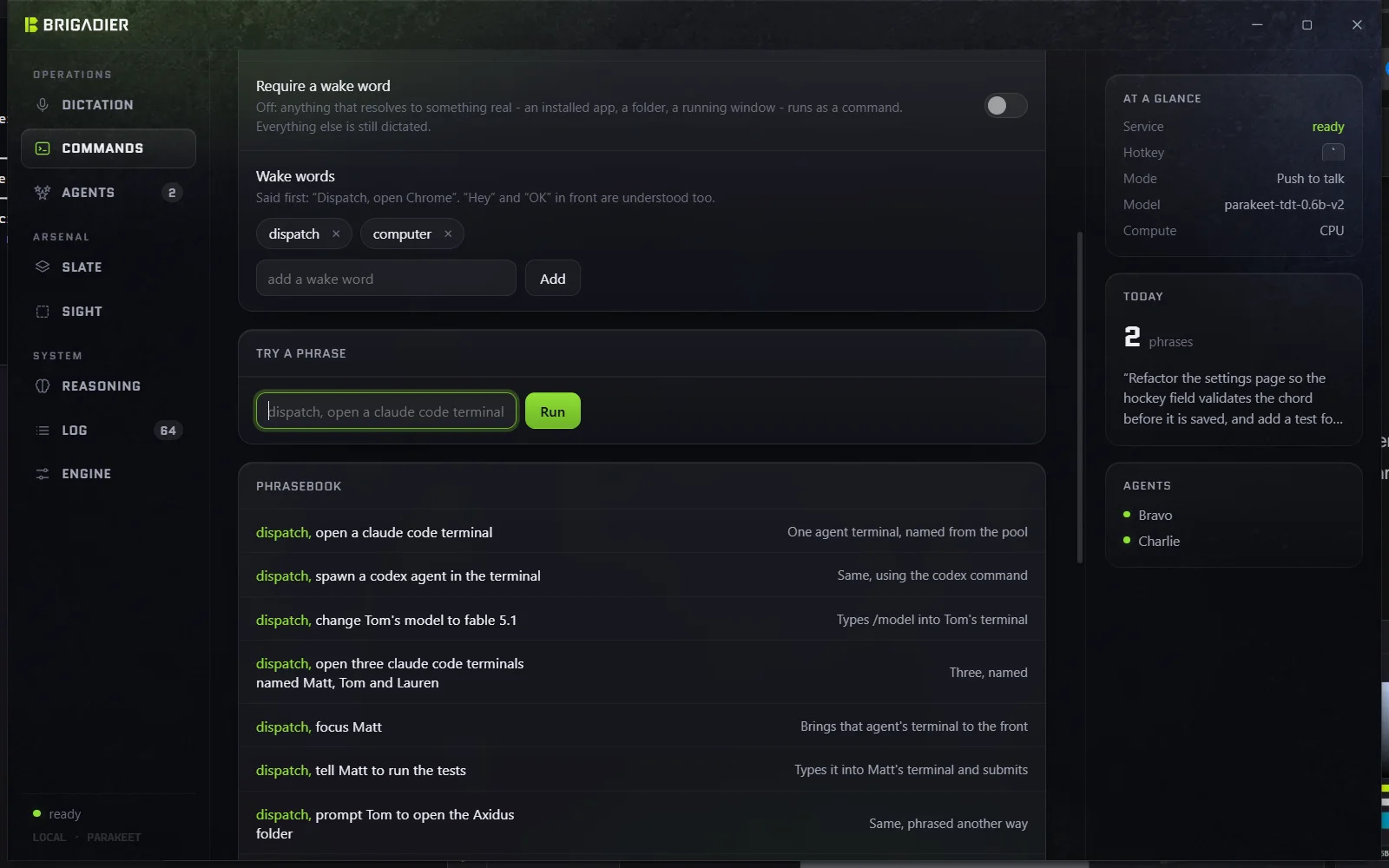
An utterance is a command if it starts with a wake word - "Dispatch" or "Computer" by default. The wake word is not the app's name on purpose: it is short to say, and it is an order rather than an address. Once a wake word is heard the text is never injected - a command that is not understood reports itself in the overlay rather than pasting "Dispatch open kroam" into your editor.
The command engine is deliberately rule-based. It runs in microseconds, it is completely predictable, and a phrase that worked yesterday works today. Nobody speaks in command syntax, so the parser does not expect it: politeness and hedging are stripped ("can you", "please", "go ahead and", "for me"), the verb is found wherever it falls, past tenses are folded back ("opened" becomes "open", which matters because the pause after a wake word disappears and the words run together), and the words Parakeet reaches for when it has never seen "Claude" are repaired next to their subject. That is why this works:
can you open 4 claudes in the terminal
Applications are matched against the Start menu rather than a table, so "open Photoshop" works without Brigadier having heard of Photoshop. Folders are found on the Desktop, in Documents and Downloads. Spoken URLs are normalised ("axidus dot io", "local host colon 3000"). Numbers may be words.
Sentences can point at what was just talked about. The engine keeps the last agent, folder and application a command touched for ninety seconds, so "tell him to run the tests", "focus it", "close that one" and "make a folder called notes in the same place" resolve without a name, and "and then", "also" and "next" are understood as continuations.
When the rules come up empty, the Reasoning page can hand the sentence to a language model - bring your own key, encrypted with DPAPI, off by default, and the only part of Brigadier that talks to the internet. The model can only choose among Brigadier's own verbs, so it cannot reach anything the rules could not; its answers are remembered so a phrasing costs one call ever, not one call each time. It also handles compound instructions ("create a folder called Notes and open a claude agent in it" comes back as two steps and both run, in order).
Robustness is a measurement, not a claim. The grammar carries a corpus of 97 phrasings people plausibly use for the things Brigadier specialises in, and a test that every one still resolves to the right kind of action. Alongside it is the opposite test: ordinary sentences that must never start, launch or create anything. "Open a pull request against main once the tests pass" and "close the door behind you" are allowed to parse as a focus or a close - both check their target exists first - but never as a spawn, a launch or a new folder. Adding a phrasing and watching it fail is how the grammar grows; no phrase is "supported" until it is in there.
The wake word does two jobs and is only good at one of them. It marks an utterance as an instruction, and it has to survive being the first word out of your mouth, where a single mishearing loses the whole sentence to the wrong window. So there is a second hotkey. Hold it and speak, and the words are an instruction whatever they turn out to say: no wake word to mishear, the model is asked about any phrasing rather than only verb-shaped ones, and nothing said under that key is ever typed. The gesture declares the intent, which is the wake word's job done with a thumb.
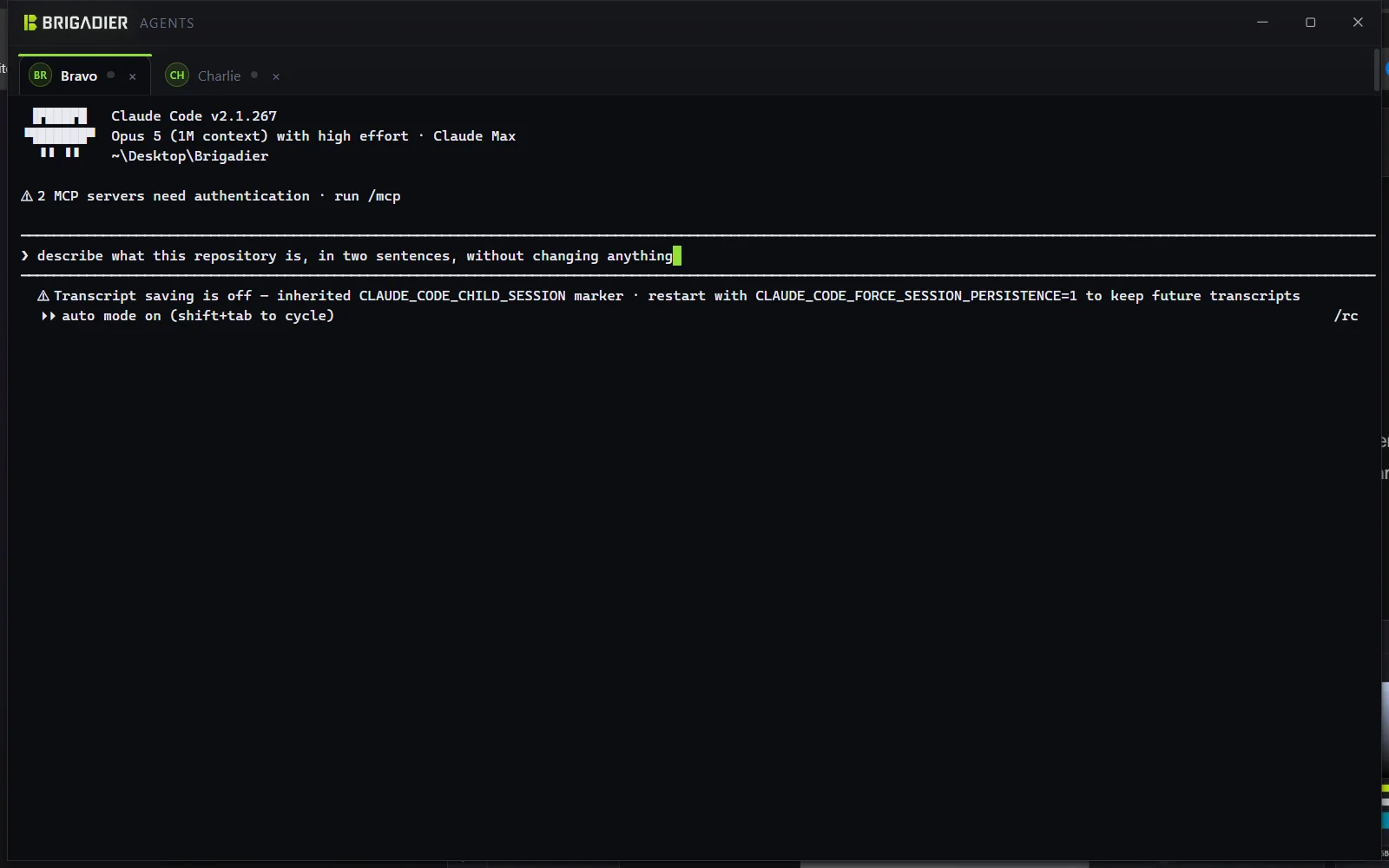
Agents run in a terminal Brigadier draws itself: one pseudo-terminal per agent, themed to match the app. Names come from a pool of squadron call signs - Alpha, Bravo, Charlie, Delta, Echo, Foxtrot, Tango, Sierra - unless you name them yourself, and unlike a console window, whose title Claude Code overwrites within a second of starting, the tab keeps the agent's name for as long as the agent lives.
Owning the terminal is what makes the interesting commands possible:
Dispatch, tell Tango to run the tests
Dispatch, prompt Charlie to open the Axidus folder and add a settings page
Dispatch, ask Tango how they are doing
Dispatch, send the prompt to Tango
Brigadier holds the writing end of Tango's terminal, so it can type into it. The text and the Return are sent separately, a moment apart, because arriving together they read as a paste and the prompt lands without being submitted. With Send it straight away off, the prompt waits in the box to be read over, and "send it" is the Return on its own.
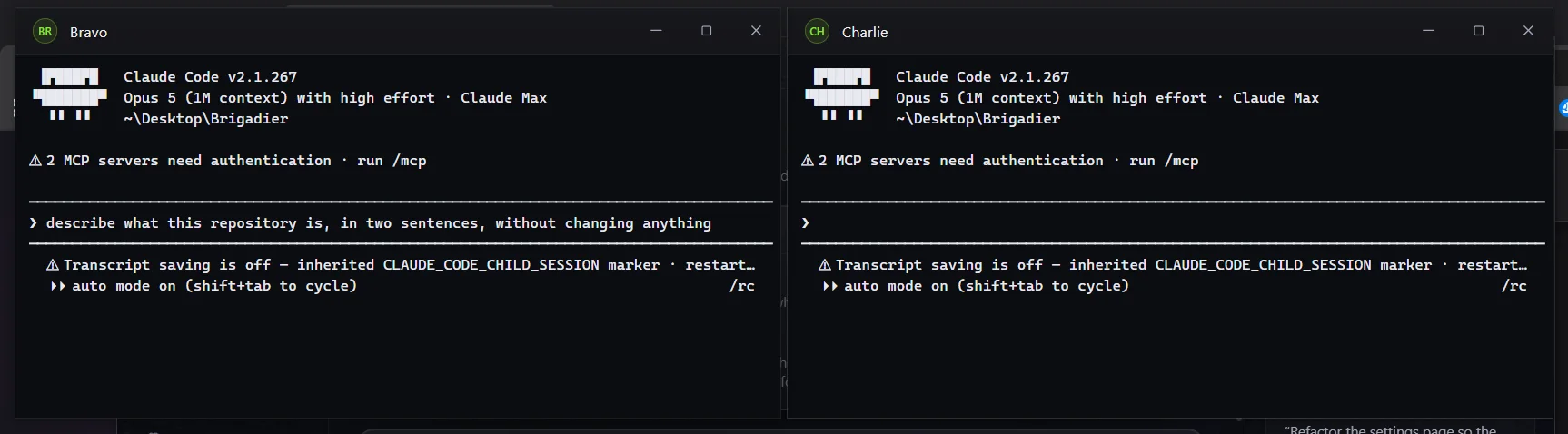
Nine agents opened at once is nine windows, and nine ninths of a screen is not somewhere anyone can read a diff. Agents can be gathered into one tabbed window ("combine all agents") or spread across a 3x3 grid of ordinary windows ("spread the agents out"); the arrangement is saved either way, so the next agent joins the layout that was asked for. Brigadier owns the pseudo-terminals and the windows only draw them, so closing a window leaves the agent running - which is what lets the tabbed window pick up terminals that were opened as separate windows, and why "minimise Alpha" and "close Alpha" are different things.
Each tab carries one dot with three meanings: grey for idle, green while output is flowing, amber when the agent has rung the terminal bell and nobody has looked since. Three states and no more - nine tabs is a wall until you can tell at a glance which one is thinking and which has stopped and wants something, and anything finer would be a thing to read rather than a thing to notice.
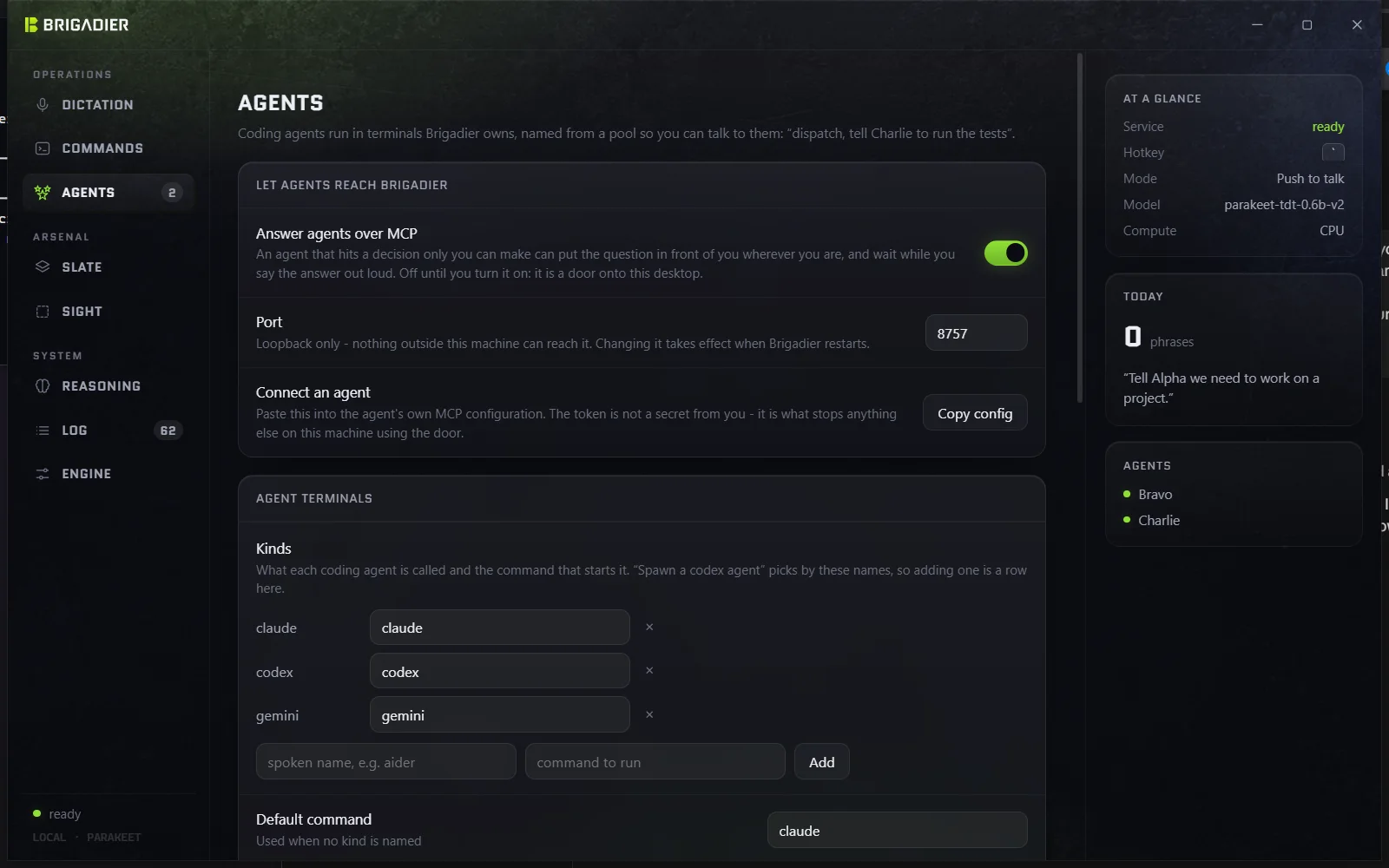
Everything else pushes: you notice something and hand it to an agent. This is the other direction. With Answer agents over MCP on, Brigadier listens on loopback for a coding agent and offers one tool, ask_user. An agent that hits a decision only a person can make calls it instead of printing a question into a terminal nobody is looking at. The question appears in the overlay over whatever you are actually doing, you hold the commanding key and say the answer, and the answer is what the tool returns. The agent blocks in the meantime - it was waiting for a person either way, and this way the person finds out. Brigadier's own repository carries the MCP config, so an agent working on Brigadier can ask its author questions.
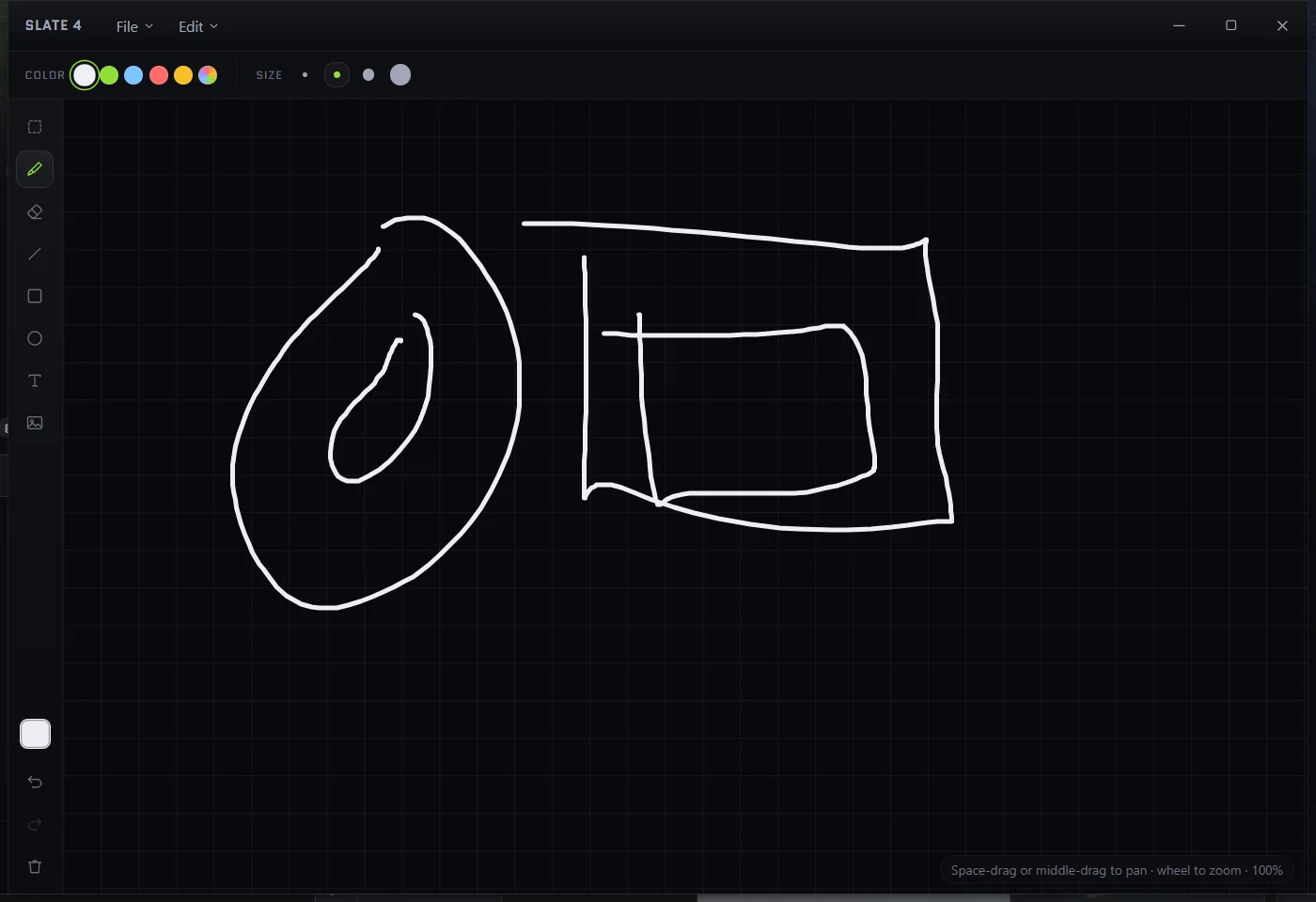
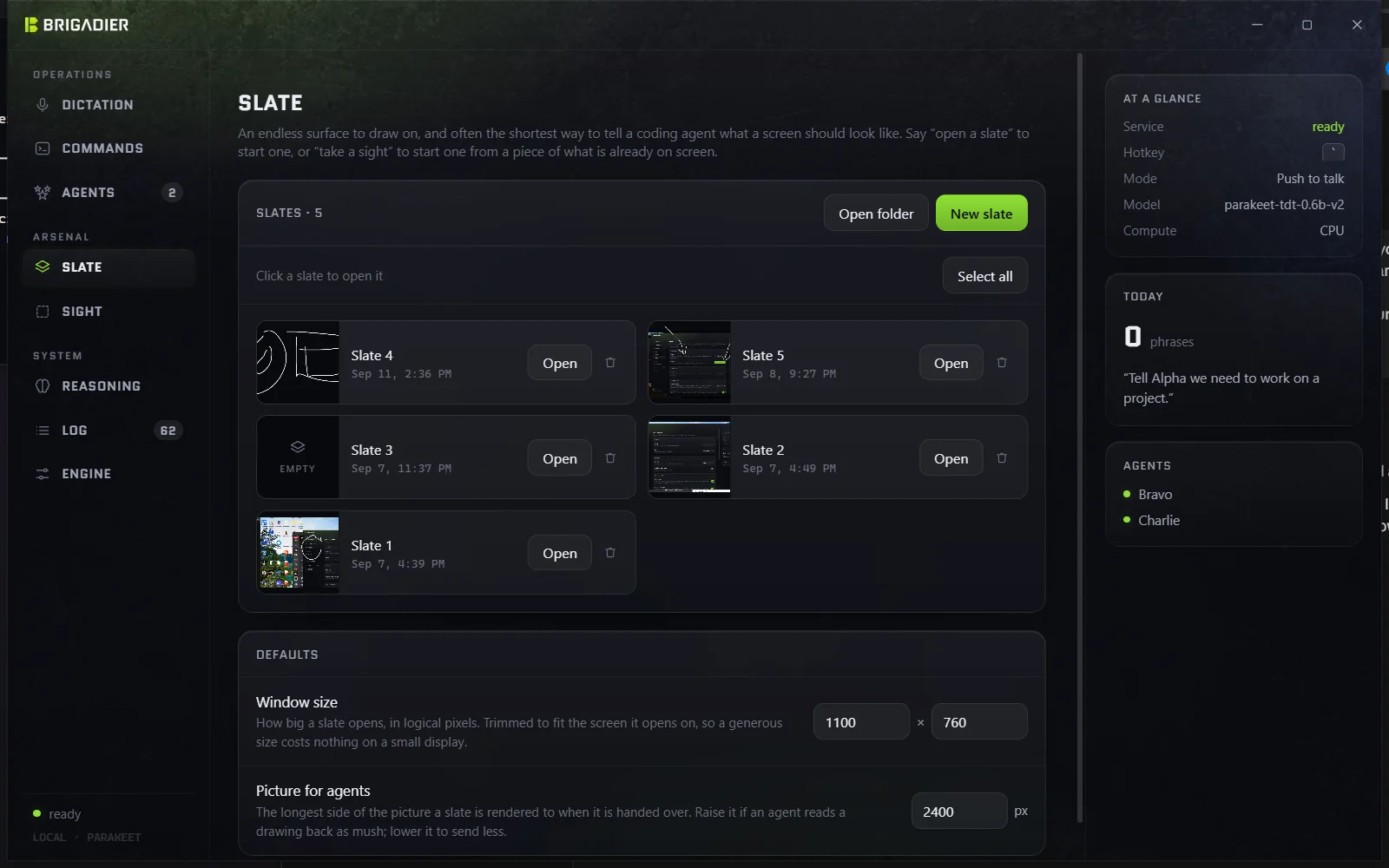
A slate is an endless drawing surface - pen, shapes, text, images, undo, a grid - and often the shortest way to tell an agent what a screen should look like. "Dispatch, send slate 1 to Tango and tell them to build the UI like this" renders the drawing to a picture, cropped to where the marks are rather than to the window, and copies it into the agent's own folder before the prompt names it. That last part matters: a coding agent reads what is under the folder it started in and asks permission for anything outside it, so a path into %APPDATA% would earn a prompt every time.
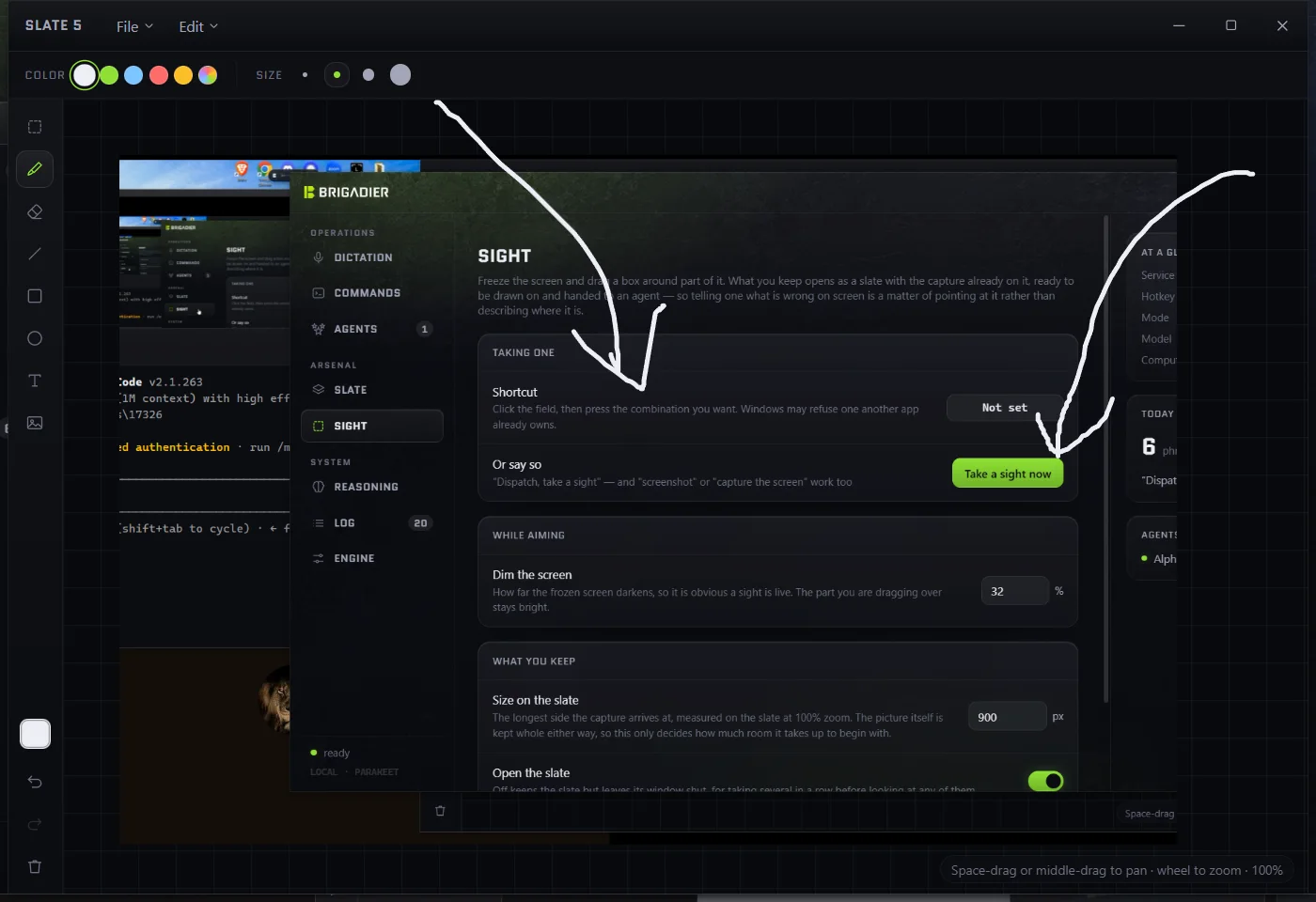
"Dispatch, take a sight" freezes the screen, and the region you drag out opens as a new slate with the capture already on it - so the way to tell an agent about something wrong on screen is to point at it rather than describe where it is. The screen is frozen before the overlay appears, which is what lets a sight be taken of something that would not survive being clicked next to: an open menu, a hover state, a tooltip. What comes out is an ordinary numbered slate, deliberately: it can be drawn on, rendered and handed to an agent like any other, with nothing downstream needing to know where it came from.
Parakeet is strong on general English and has never seen most developer proper nouns. Measured on a spoken corpus, it is confident about its mishearings of "Claude", so confidence alone cannot be the trigger for a correction. Two layers run over every transcript instead:
versal becomes Vercel), with a rule for what is allowed in: the misheard form must not be an ordinary English word. Jest from "just" and Cypress from "Cyprus" are refused on purpose, and tested as refusals.Every substitution is remembered with a count; a mishearing confirmed a few times no longer needs its gate.
The numbers, because they are the point:
| Measure | Result |
|---|---|
| Transcription speed | ~12x realtime on CPU - an 8 s sentence in ~660 ms |
| Spoken command corpus | 32/58 raw, 55/58 with the vocabulary layer; now 76/78 on the widened corpus |
| Developer tool names (108, two voices) | 67/108 raw, 88/108 with the vocabulary layer |
| Command grammar corpus | 97/97 phrasings resolve to the right action |
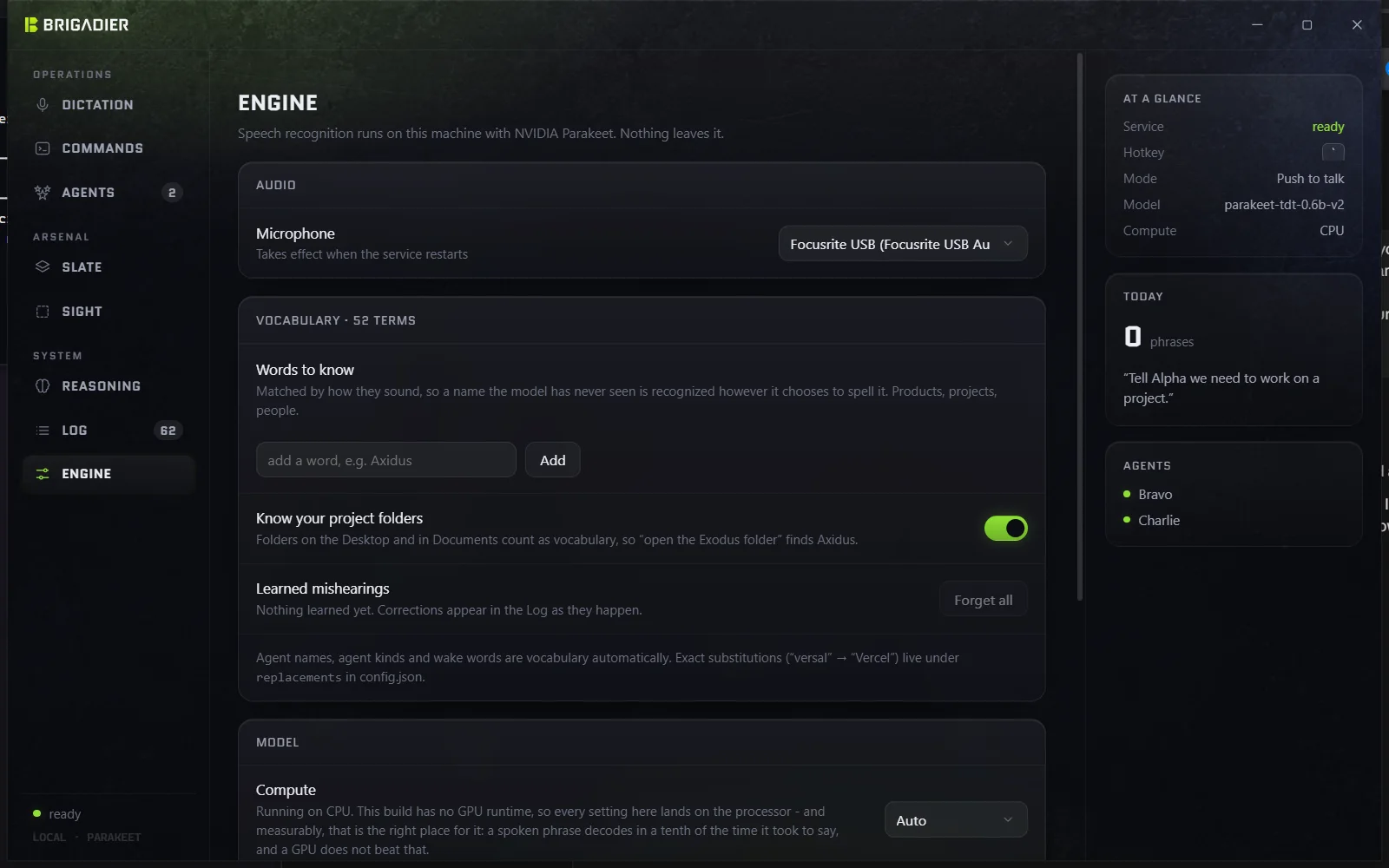
GPU was measured and rejected, not assumed away: on an RTX 2080 SUPER, DirectML beats CPU on a 2-second clip, loses on a 5-second one, and comes out level over the lengths people actually speak, for 73 MB of runtime and 1.6 s more startup. A spoken phrase decodes in roughly a tenth of the time it took to say it; recognition is not where the latency lives, so a faster provider has nothing to win back.
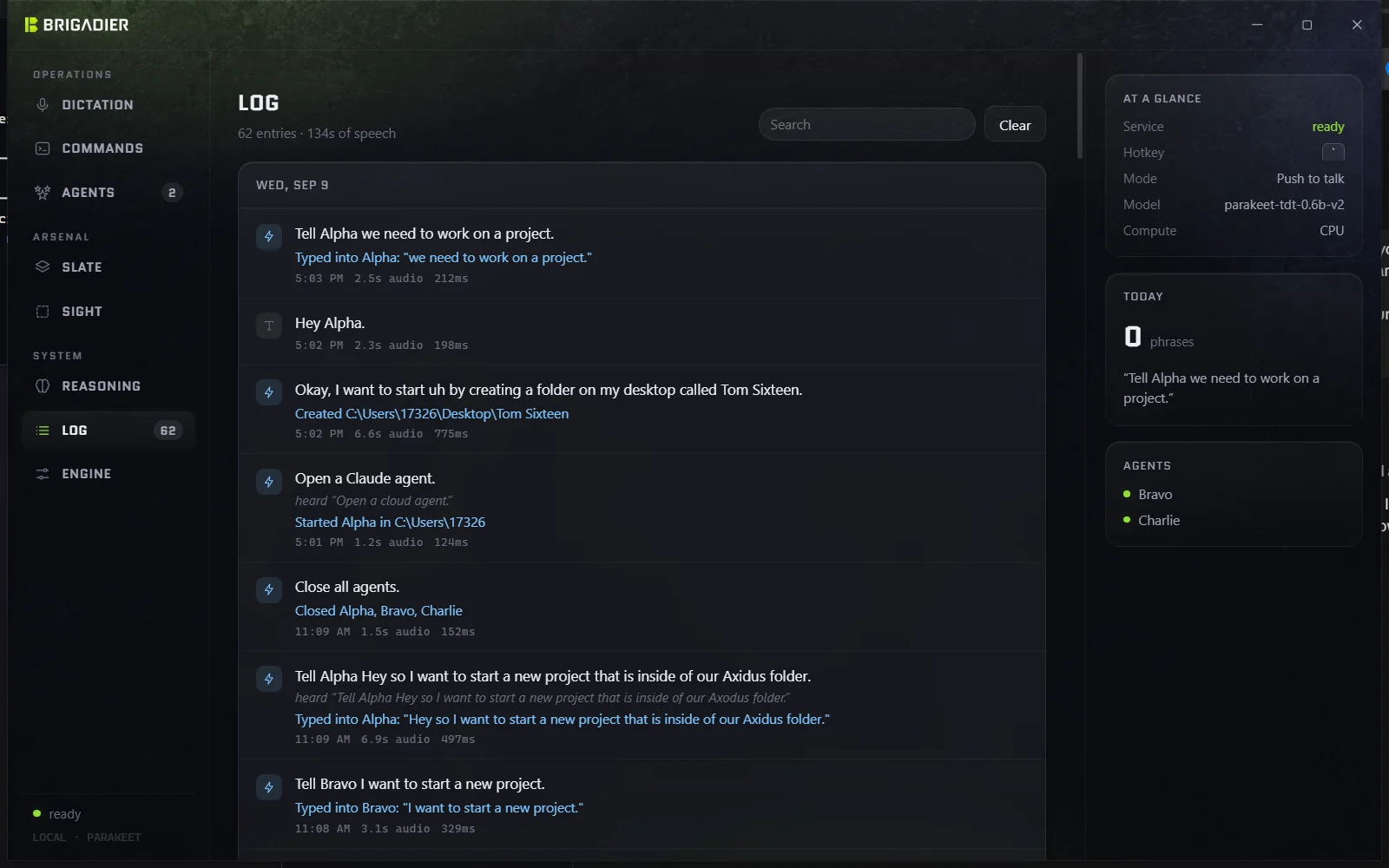
The speech service owns the microphone, and what it sends back is the text of everything said near it. It listens on loopback, but loopback is not a boundary against a browser: any page could open the socket and be handed live transcripts. So there are two gates checked during the handshake - a per-start random token in a file (a web page cannot read files) and an origin allow-list - and the token is published only once the port has been won, because two copies of the service start more often than you would think. Verified by exploit before it was fixed, not by reading.
The one secret the app can hold, an API key for the optional model fallback, is encrypted for the Windows account with DPAPI and sent nowhere but that provider. The fallback sends a folder's name, never its path. The MCP door is off until turned on, loopback only, and every request must carry its token.
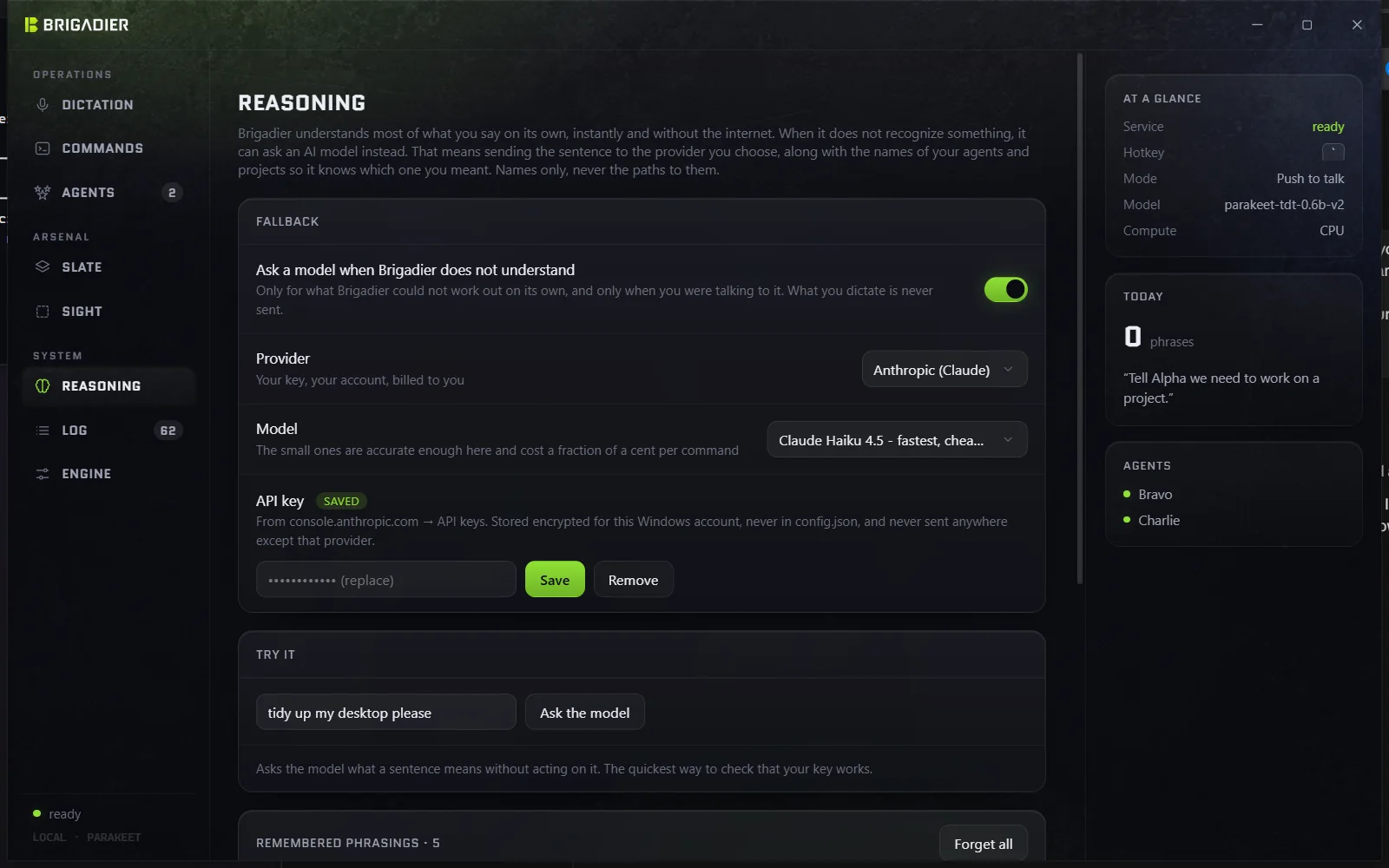
Dark, military-adjacent without cosplay. Headings and navigation are set in Quantico, squared capitals with tracking, over Segoe UI Variable for body text. One accent: a chartreuse green (#8fe035) for the listening state, the active tab and the primary action, with a dimmed and a glow variant, and nothing else competing with it. The surfaces carry a faint photographed wear texture - patches, edges, the odd scratch - centred on mid grey so it moves pixels either side of the base without darkening it.
The main window is undecorated and draws its own title bar so it can round its own corners, and so that close can mean "back to the tray". Agents are squadron call signs; the wake word is "Dispatch"; the settings are grouped as Operations, Arsenal and System. The vocabulary of the product is consistent because the metaphor is.
ask_user tool.One week, 110 commits, all of them written with Claude Code - which means Brigadier was built by talking to the agents it was built to drive, and the last feature added was the one that lets those agents talk back.